.png)
March 25, 2026
At this year’s Grammys, Justin Bieber stepped onto the stage in a way no one expected. There were no elaborate visuals, no heavy styling, no spectacle. Just boxers, socks, a mirror placed in front...
Read more.png)
March 25, 2026
Not long ago, the idea of a computer creating an entire song felt like science fiction. Now it’s becoming surprisingly common. With tools like Suno and Udio, AI-generated music is being uploaded to...
Read more.png)
March 25, 2026
Open Spotify’s Top 50 and you’ll notice something subtle but consistent: songs are getting shorter. Two minutes and thirty seconds is no longer unusual. Some tracks barely cross the two-minute mark...
Read more.png)
March 2, 2026
Sabrina Carpenter’s Short n’ Sweet era shows how banjo and other country sounds can live comfortably inside glossy pop production. Her tracks mix bright acoustic textures with punchy drums, synths...
Read more.png)
March 2, 2026
Over the last few years, phonk has exploded from underground SoundCloud mixes into mainstream playlists and TikTok trends. You’ve probably heard its gritty, nostalgic energy like the dark bass...
Read more.png)
March 2, 2026
Not long ago, songs were built slowly. An instrumental intro would set the mood, a verse would ease listeners in, and the chorus arrived later as the reward. Today, that structure is quietly...
Read more.png)
March 2, 2026
Bad Bunny’s 2026 Super Bowl show didn’t just break viewing records—it confirmed that the “global sound” (Latin music, Afrobeats, Amapiano, Afro-fusion) is now the center of pop culture, not a side...
Read more.png)
March 2, 2026
If you’ve been mixing music for a while, you’ve probably heard about Spotify’s big update: lossless streaming is finally here. That means Premium users can now listen to songs in full-quality FLAC...
Read more
October 23, 2025
Discover how Mix Master strengthens your brain just like an instrument - training focus, creativity, and emotional intelligence through the science of sound.
Read more.png)
September 8, 2025
Tools like Suno are now powerful enough to generate melodies, lyrics, and even full songs in seconds. That’s exciting—and controversial. Just ask Timbaland. Recently, he came under fire..
Read more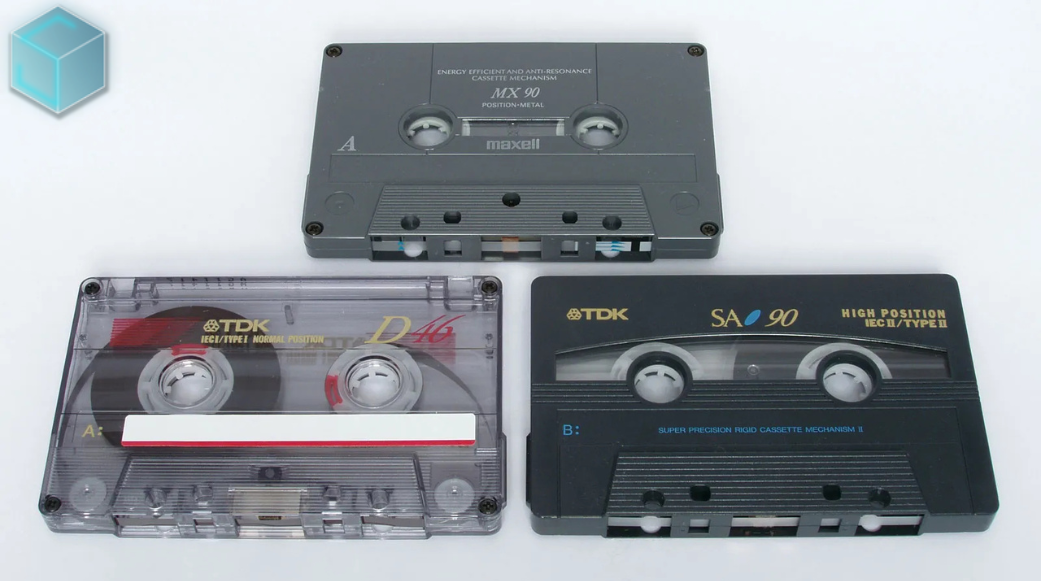
August 23, 2025
The 1980s and 1990s analog music medium known as cassette cassettes is experiencing an unanticipated comeback, with Gen Z spearheading the trend. Taylor Swift, who included cassettes in the release...
Read more
August 23, 2025
This week's most notable headline: Doja Cat's erotically charged, '80s-inspired music video, "Jealous Type," is dominating social media feeds and cultural discourse, marking her most daring...
Read more
Photo Source: Audient.com
Artists like Kaytranada have proved that you don’t need access to a professional recording studio to create well-produced music. As technology and social media have advanced, it is now easier than ever for aspiring artists to start producing and promoting their own music at home.
You don’t need much to start producing. In fact, you may already have what you need depending on your skill level and goals. For instance, Steve Lacy made his early work on GarageBand with an iPhone. Of course, mastery takes practice, but with a small list of hardware and software, you should be able to reach your creative goals.
If you’re looking to take your production to the next level, consider the following suggestions.
What You’ll Need For a Basic At-Home Recording Studio
A Laptop
Chances are, what you have now is probably good enough to get started as an amateur. If you decide to upgrade, make sure that you opt for specs well beyond the minimum requirements for your DAW program to ensure you can handle the latest software, and whatever you may need for the foreseeable future. Also, try to get a computer that will be powerful enough without being very loud - you don’t want to mess up your audio recordings with a roaring laptop fan in the background.
Apple Laptops
Traditionally, many artists have been known to use MacBook Pros as they came with powerful preloaded software, and their processors and SSDs made them fast enough for large projects.
Some popular DAW software is only available on MacOS. If you are looking to use any of these programs (like Logic Pro), then an Apple computer is your only choice.
Apple’s MacBook Pro (without a touch bar) is a solid choice with tons of power and performance options. It is not user-upgradable after purchase, so make sure you get the specs you need when you buy.
The MacBook Air M2 is also incredibly powerful, cheaper, and completely silent (which can be a huge advantage for audio recording), but there aren’t as many options for power enhancements as the Pro. Be sure to avoid the 256GB Air as that is a limited amount of storage, and its SSD isn’t as fast as the higher storage options.
As a bonus, both of the Apple laptops have excellent speakers and microphones if you are in a pinch. You can’t go wrong with either if they fit within your budget.
Windows Laptops
Whether you are a Windows fan or you are looking for things Apple computers can’t give you (like upgradability or lower prices), then a Windows laptop may be a better fit for you. There are great deals to be had with Windows, and many gaming PCs are also plenty powerful to handle large projects. Depending on your needs and the software you intend to use, these may be a better fit for you.
DAW Software
There are tons of options for software you can use to record, edit, and mix on your computer. If you are just starting out, Apple’s free Garage Band is a great place to learn the basics and may be all you ever need. It also integrates well into Logic Pro if you choose to upgrade.
On Windows, MusicRadar recommends Ableton Live 11 Pro as it offers cross-platform support and great DLCs. Cross-platform support allows for easier collaboration between artists should you need it in the future.
In choosing your DAW software, be sure to consider if there is a big community of users who can help you on forums and Subreddits. When you have a question or an issue, chances are someone else will know how to help online.
Audio Interface
Your audio interface will allow you to connect your instruments and other audio sources to your DAW. Choosing a high-quality one is key to good sound, but you also should consider how many inputs you think you will need and your budget. There are plenty of reviews and recommendations online, and Reddit can also be a great source of info for used or budget alternatives.
Although, if you plan on producing music that only uses virtual sounds, you may not even need one.
Microphone
There are several types of microphones for different purposes, and the best one for you will depend on what you are recording.
If you plan to record vocals, the Rode NT1 is commonly cited as one of the best for beginners looking for a natural sound. In addition, you will also need a microphone stand, and pop filters to prevent the blast of air that comes from p and b sounds.
Headphones
A pair of good closed-back headphones are essential. You need to hear both your backing track and what you are recording without it bleeding through and messing up your recording. The Sennheiser HD 280 Pro and the Sony MDR 7506 are known to be great options.
MIDI Controller
A MIDI controller allows you to play virtual instruments similarly to how you would play a real one, rather than just clicking them in. For advice on which MIDI controller would work best in your use case, see this resource.
Acoustic Treatments
Buying expensive gear will do nothing if there is poor acoustics in your recording space. When choosing your recording space, try to avoid low ceilings, tile floors, or perfectly symmetrical, square rooms. These negatively impact the sound profile of the room.
Acoustically treating your room with foam blocks will allow you to control how sound is reflected and remove echo from your space. It’s cheap and bound to improve the quality of your recordings.
Takeaways
If you are serious about starting an at-home recording studio, it is best to not cheap out. Music can be incredibly expensive to get into, and at-home production is no different. While the list above is just a suggestion on some basic tools, Reddit, online forums, and other articles like this one are great sources of inspiration for setups that may work for you.
.png)


